Embark on a captivating journey into the realm of UX research tools, where we unravel the intricacies of this indispensable arsenal for crafting user-centric experiences. Delve into a comprehensive exploration of tool categories, popular options, key features, and best practices to empower your UX research endeavors.
From data collection to analysis and reporting, this guide serves as your trusted companion, providing insights and practical advice to navigate the ever-evolving landscape of UX research tools. Uncover the latest trends and emerging technologies shaping the future of this field, ensuring you stay ahead of the curve in delivering exceptional user experiences.
UX Research Tools Landscape
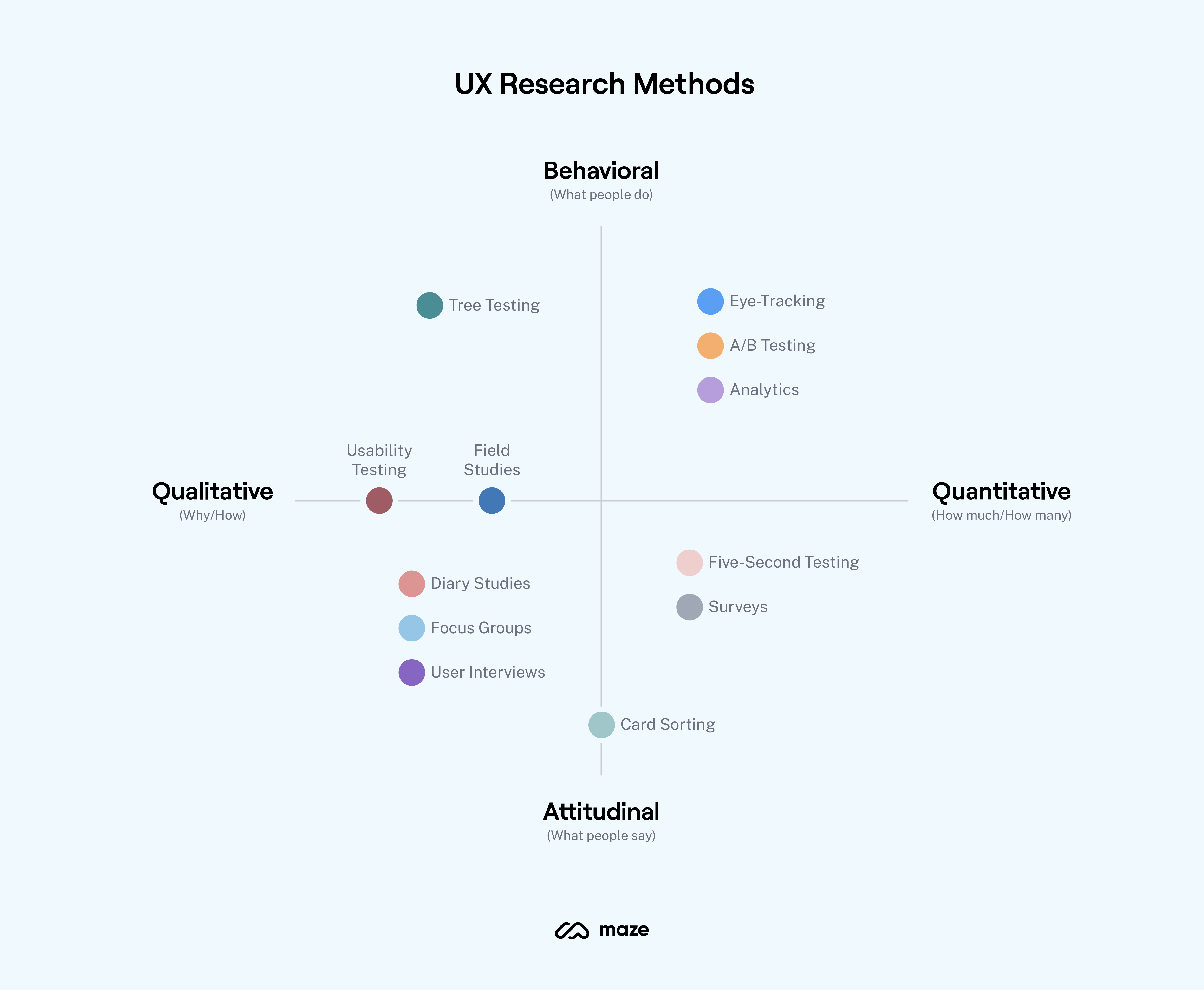
UX research tools are a valuable asset for UX researchers and designers, enabling them to gather insights into user behavior, preferences, and needs. These tools come in a variety of categories, each with its own unique set of features and capabilities.
The main categories of UX research tools include:
- User testing toolsallow researchers to observe and record user behavior as they interact with a product or service.
- Survey toolscollect quantitative data from users through questionnaires and polls.
- Interview toolsfacilitate qualitative data collection through in-depth conversations with users.
- Analytics toolstrack and measure user behavior on websites and applications, providing insights into user engagement and conversion rates.
- Collaboration toolsenable researchers and designers to share and discuss research findings, collaborate on projects, and manage research data.
Popular UX Research Tools
Within each category, there are a number of popular UX research tools available. Some of the most widely used tools include:
User Testing Tools
- UserTesting
- Loop11
- UXCam
- Inspectlet
- Hotjar
Survey Tools
- SurveyMonkey
- Qualtrics
- Google Forms
- Typeform
- Zoho Survey
Interview Tools
- Zoom
- Google Meet
- Microsoft Teams
- Skype
- Airtable
Analytics Tools
- Google Analytics
- Mixpanel
- Amplitude
- Adobe Analytics
- Heap
Collaboration Tools
- Figma
- Miro
- Notion
- Confluence
- Asana
Key Features and Capabilities
The key features and capabilities of UX research tools vary depending on the category and specific tool. However, some common features include:
- User recording and observation: The ability to record and observe user behavior as they interact with a product or service.
- Survey creation and distribution: The ability to create and distribute surveys to collect quantitative data from users.
- Interview scheduling and management: The ability to schedule and manage interviews with users.
- Data analysis and reporting: The ability to analyze and report on research findings.
- Collaboration and sharing: The ability to share and discuss research findings with colleagues.
Tool Selection Criteria

Choosing the right UX research tool is crucial for successful research outcomes. Several factors need to be considered to ensure the tool aligns with your research goals and project requirements.
When selecting a UX research tool, it’s essential to consider the following:
Research Goals
The research goals should drive the tool selection. Determine the specific objectives of the research and the type of data you need to collect. Consider the research methods you plan to use, such as surveys, interviews, or usability testing, and ensure the tool supports those methods.
Budget
Establish a budget for the tool and consider the ongoing costs, such as subscription fees, training, and support. Compare the pricing of different tools and factor in any additional expenses associated with using the tool effectively.
Team Size
The size of the research team can impact the tool selection. Consider the number of users who will be using the tool and the level of collaboration required. Some tools are designed for large teams with multiple users, while others may be more suitable for smaller teams or individual researchers.
Evaluation and Comparison
Once you have identified potential tools, evaluate and compare them based on the following criteria:
- Features and functionality: Assess the tools’ capabilities and whether they meet your research needs.
- Ease of use: Consider the user interface, learning curve, and training requirements.
- Data security: Ensure the tool meets your data security and privacy requirements.
- Customer support: Evaluate the level of support provided by the vendor, including documentation, training, and technical assistance.
By carefully considering these factors, you can select a UX research tool that aligns with your research goals, budget, and team size, and supports the successful execution of your research project.
Data Collection Methods
UX research tools provide a range of data collection methods to capture user feedback and insights. Each method has its advantages and disadvantages, making it crucial to select the appropriate method based on the research objectives.
The most common data collection methods include surveys, interviews, usability testing, and observational research. Let’s explore each method in detail.
Surveys
Surveys are a structured way of gathering quantitative data from a large number of participants. They involve asking predefined questions to collect information about user demographics, preferences, and experiences.
- Advantages:
- Efficient for gathering large amounts of data
- Cost-effective
- Easy to analyze and compare results
- Disadvantages:
- Limited depth of insights
- Can be subject to bias
- Difficult to capture non-verbal cues
Example:Google Forms, SurveyMonkey
Interviews
Interviews involve one-on-one or group discussions with participants to gather qualitative data. They allow researchers to explore user experiences, motivations, and pain points in depth.
- Advantages:
- Provide rich and detailed insights
- Allow for follow-up questions and probing
- Capture non-verbal cues
- Disadvantages:
- Time-consuming and resource-intensive
- Can be influenced by interviewer bias
- May not represent the views of the entire user population
Example:Zoom, Microsoft Teams
When it comes to UX research tools, there are many great options out there. One of the most popular is great star tools. This tool allows you to quickly and easily create prototypes, conduct user testing, and analyze data.
With its intuitive interface and powerful features, great star tools is a great choice for UX researchers of all levels.
Usability Testing
Usability testing involves observing users interacting with a product or service to identify usability issues and areas for improvement. It can be conducted in person or remotely using screen recording tools.
- Advantages:
- Provides real-time feedback on user experience
- Helps identify specific design flaws
- Allows researchers to observe non-verbal cues
- Disadvantages:
- Can be expensive and time-consuming
- May not generalize to the entire user population
- Can be influenced by the observer’s bias
Example:UserTesting, UsabilityHub
UX research tools are indispensable for understanding user behavior and preferences. If you’re looking to delve deeper into business analysis, consider exploring the comprehensive range of tools for business analysis. These tools can provide valuable insights into market trends, customer demographics, and competitive landscapes.
By integrating UX research tools with business analysis tools, you’ll gain a holistic understanding of user needs and market opportunities.
Observational Research
Observational research involves observing users in their natural environment to understand their behavior, preferences, and interactions. It can be conducted through field studies, ethnographic research, or web analytics.
- Advantages:
- Provides insights into real-world behavior
- Minimizes bias and artificiality
- Can be used to track user journeys
- Disadvantages:
- Can be time-consuming and resource-intensive
- May not provide detailed insights into user motivations
- Can be influenced by observer bias
Example:Google Analytics, Hotjar
Data Analysis and Reporting

Once you’ve collected your data, it’s time to analyze it and generate reports that can be used to make informed decisions about your product or service.
UX research tools offer a variety of data analysis capabilities, including:
- Statistical analysis:This can be used to identify trends and patterns in your data, and to test hypotheses about your users.
- Qualitative analysis:This can be used to understand the motivations and behaviors of your users, and to identify areas for improvement.
- Data visualization:This can be used to create charts and graphs that make your data easier to understand and interpret.
Using UX Research Tools to Extract Insights and Generate Reports
Once you’ve chosen a UX research tool, you can use it to analyze your data and generate reports. Here’s a step-by-step guide:
- Import your data:The first step is to import your data into the UX research tool. This can be done by uploading a file or by connecting to a database.
- Clean your data:Once your data is imported, you need to clean it. This involves removing any errors or inconsistencies in the data.
- Analyze your data:Once your data is clean, you can start to analyze it. This can be done using a variety of statistical and qualitative analysis techniques.
- Generate reports:Once you’ve analyzed your data, you can generate reports that summarize your findings. These reports can be used to make informed decisions about your product or service.
The Importance of Data Visualization and Communication
Data visualization is an important part of UX research. It can help you to identify trends and patterns in your data, and to communicate your findings to others. There are a variety of data visualization tools available, so you can choose the one that best meets your needs.
When communicating your findings, it’s important to be clear and concise. You should also use visuals to help your audience understand your data. By following these tips, you can ensure that your UX research reports are effective and informative.
Collaboration and Integration
Collaboration is a key aspect of the UX research process, and the right tools can make it easier to work with your team members and stakeholders.
Most UX research tools offer some form of collaboration features, such as the ability to share projects, leave comments, and track changes. This can help to ensure that everyone is on the same page and that the research is conducted in a consistent manner.
Benefits of Integrating UX Research Tools
- Improved communication:Collaboration features can help to improve communication between team members and stakeholders, ensuring that everyone is on the same page.
- Increased efficiency:By integrating UX research tools with other design and development platforms, you can streamline the research process and save time.
- Enhanced data quality:Integration can help to ensure that data is collected and analyzed in a consistent manner, improving the quality of the research.
Examples of How Collaboration Can Improve the UX Research Process
- User interviews:Collaboration features can make it easier to schedule and conduct user interviews, and to share the results with your team.
- Surveys:Collaboration tools can help you to create and distribute surveys, and to track the results in real time.
- Data analysis:Collaboration features can make it easier to share and discuss data analysis results with your team.
Emerging Trends
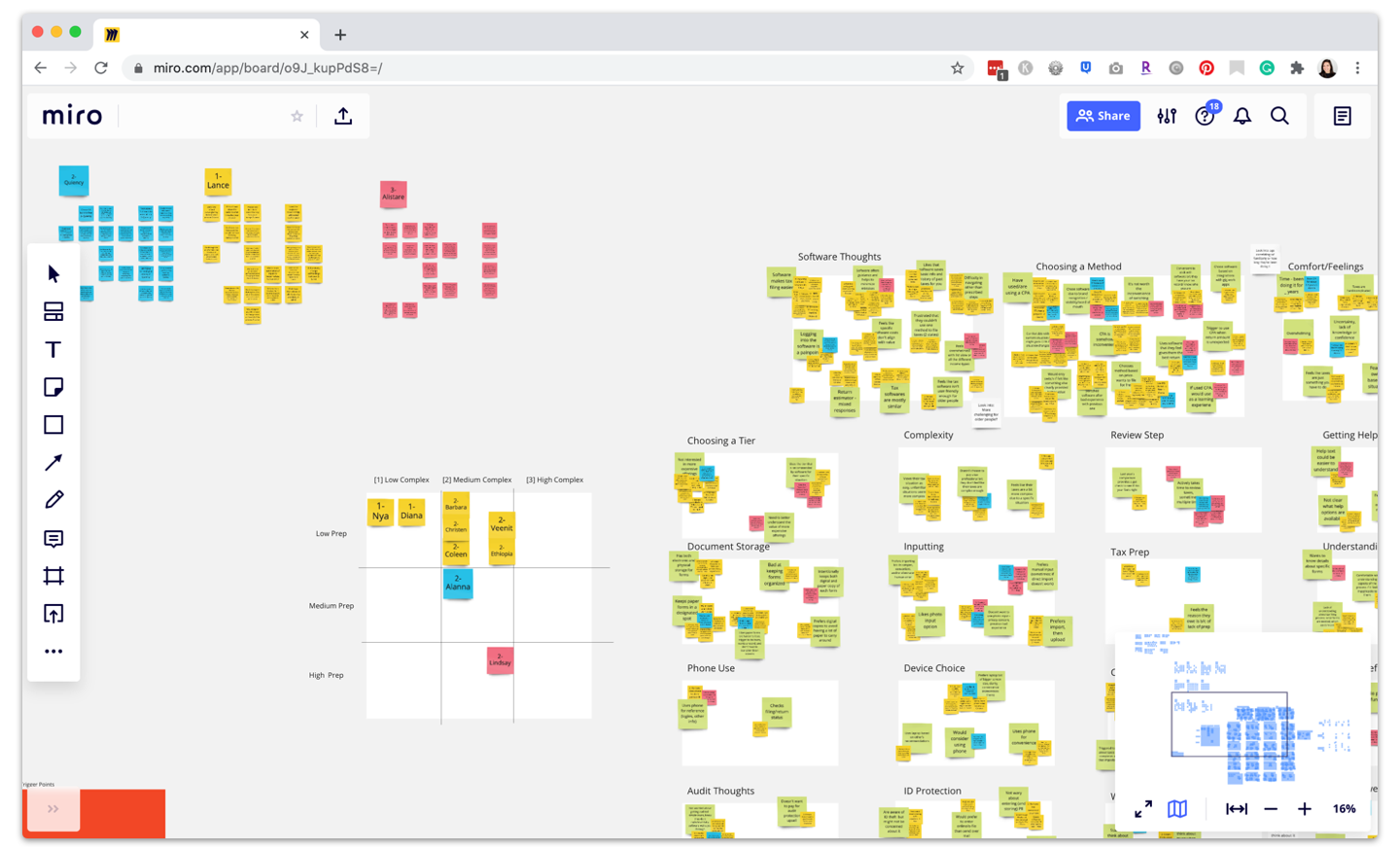
The landscape of UX research tools is constantly evolving, with new technologies and methodologies emerging all the time. These trends are shaping the future of UX research, making it more efficient, effective, and collaborative.
One of the most significant trends is the rise of artificial intelligence (AI). AI-powered tools can automate many of the tasks that were once done manually, such as data collection, analysis, and reporting. This frees up researchers to focus on more strategic and creative aspects of their work.
Another trend is the growing popularity of remote and distributed research. This is due in part to the increasing availability of online research tools and the rise of remote work. Remote research allows researchers to reach a wider range of participants and conduct research more efficiently.
Emerging Technologies
- Artificial Intelligence (AI):AI-powered tools can automate many tasks, such as data collection, analysis, and reporting.
- Virtual Reality (VR) and Augmented Reality (AR):VR and AR can be used to create immersive and interactive research experiences.
- Eye Tracking:Eye tracking can be used to measure user attention and engagement.
- Biometrics:Biometrics can be used to measure user emotions and physiological responses.
Potential Impact on UX Research
- Increased efficiency:AI-powered tools can automate many tasks, freeing up researchers to focus on more strategic and creative aspects of their work.
- Improved accuracy:AI-powered tools can help researchers to identify patterns and insights that would be difficult to find manually.
- Enhanced collaboration:Remote research tools allow researchers to collaborate with colleagues and participants from anywhere in the world.
- Greater impact:AI-powered tools can help researchers to make a greater impact on the products and services they design.
Helpful Answers: Ux Research Tools
What are the key considerations for selecting a UX research tool?
Factors to consider include research goals, budget, team size, data collection methods, analysis capabilities, and integration options.
How do UX research tools facilitate collaboration?
They offer features such as project sharing, commenting, and version control, enabling seamless collaboration among team members.
What are the emerging trends in UX research tools?
Trends include AI-powered analysis, remote research capabilities, and the integration of UX research with design and development platforms.
